
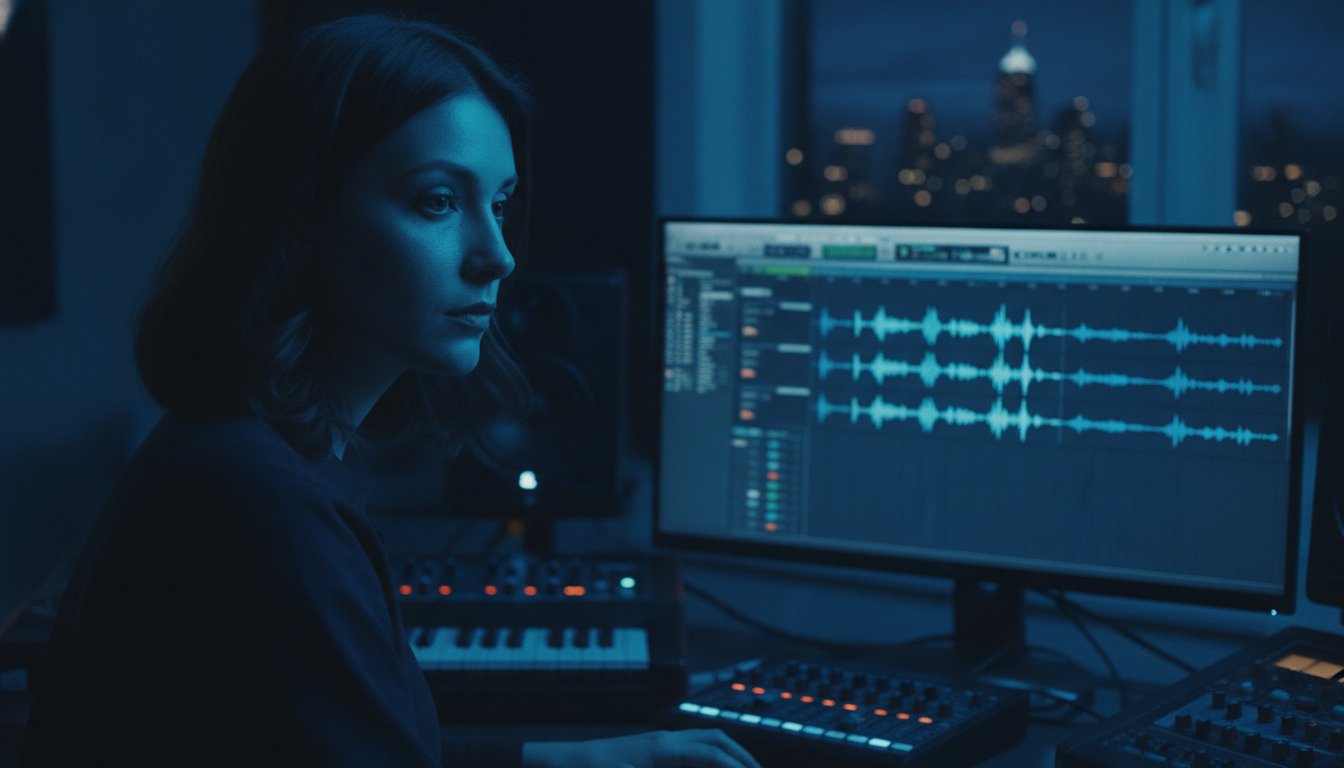
The difference between a world-class record and a wasted studio budget isn't the gear; it's the focused window of time you spend before hitting the send button. Mastering how to prepare your song for mixing is the single most effective way to protect your creative vision while ensuring your engineer focuses on sonic excellence rather than administrative cleanup. You've likely spent weeks obsessing over every melody and synth layer. It's natural to feel a sense of trepidation about handing that work over, especially if you're worried about technical fees or losing the specific energy of your rough demo.
We believe every project deserves a foundation of absolute precision. This guide delivers the exact technical and creative steps required to prep your tracks for a seamless transition into the professional realm. You'll gain the confidence to handle plugins, manage headroom, and communicate your vision so that the final result sounds legendary. From file organization to creative stems, we are covering the workflow that elevates your production into a polished, world-class masterpiece.
Key Takeaways
- Understand how meticulous session hygiene removes the creative ceiling, allowing your engineer to focus on sonic artistry rather than fixing technical errors.
- Master the essential audit phase by stripping silence and removing artifacts to learn exactly how to prepare your song for mixing with professional clarity.
- Implement the industry-standard consolidation workflow to ensure every track aligns perfectly from the first beat and follows logical naming conventions.
- Discover how to provide a clear creative blueprint using rough mixes and professional reference tracks to ensure the final sonic identity matches your vision.
- Explore the specialized requirements for immersive audio and why preparing for Dolby Atmos at Starsound Studios requires a unique approach to track organization.
Why Mix Preparation is the Secret to a Radio-Ready Sound
Mix preparation is the deliberate process of cleaning, organizing, and consolidating your raw audio files before they reach a professional engineer. It's the technical bridge that transforms a scattered creative session into a streamlined professional project. When you master how to prepare your song for mixing, you are essentially building a launchpad for your music. Steve 'The Mix' at Starsound views this stage as the first true act of collaboration. It isn't just about files; it's about respect for the craft and the potential of your song.
A messy session creates a creative ceiling. If an engineer spends the first three hours hunting for the lead vocal or muting accidental microphone bumps, their ears get fatigued. They lose the initial spark of excitement that drives a legendary mix. By handling the 'housekeeping' yourself, you ensure that every cent of your budget goes toward sonic enhancement. You are paying for artistic intuition and high-end signal processing, not for someone to rename your tracks. Efficiency in the prep phase translates directly to energy in the final master.
Shifting from Production to Mixing
This hand-off is a major psychological milestone. It marks the moment you stop building the house and start painting the masterpiece. Many artists fall into the trap of "fixing it in the mix," leaving sloppy edits or poor takes for the engineer to solve. This mindset kills momentum. Audio mixing (recorded music) is meant to enhance a great performance, not rescue a bad one. While your rough mix captures your initial vision, the final professional mix should expand that vision into something transcendent. It's a move from the experimental to the intentional.
Setting Your Project Up for Success
Professional standards lead to professional results. Before you export a single track, identify the primary goal of your song. Is it meant to shake a club floor or pull at heartstrings in a quiet room? We recommend writing a single sentence that defines the intended emotional impact for your engineer. For example: "This track should feel like a cold, lonely night in a neon-lit city." This clarity gives your engineer a North Star to follow. When you know how to prepare your song for mixing with this level of intentionality, the technical details become the fuel for your creative fire. Your music deserves a foundation of absolute precision.
Technical Housekeeping: Cleaning Your Tracks for Maximum Clarity
Clarity begins in the cracks. While the creative spark happens during recording, the professional sheen happens when the clutter is removed. If you are learning how to prepare your song for mixing, the 'Audit' phase is your most critical task. You must listen to every single track in solo from start to finish. This isn't just about finding mistakes; it's about ensuring every millisecond of audio is intentional. Small artifacts might seem invisible in a dense arrangement, but professional processing will pull them to the forefront.
Check for clicks and pops at every edit point. These tiny digital glitches become glaringly obvious once a mix engineer applies high-ratio compression or aggressive EQ. Managing dead air is equally vital. You must strip away the silence from sections where an instrument isn't playing. This reduces the cumulative floor noise that can cloud your mix's low-end clarity and steal headroom. Ensure every audio clip begins and ends at a zero-crossing point. A simple fade-in and fade-out of just 5 to 10 milliseconds can prevent the jarring pop of a waveform being cut mid-cycle.
The 'Solo' Listen-Through
Isolation reveals the truth. When you solo your vocal tracks, listen specifically for headphone bleed. If the click track or backing music is audible in the vocal mic, it may haunt the final mix during quiet passages or intimate breakdowns. Identify and remove 'ghost' regions. These are empty clips on your timeline that contain no music but still consume processing power or contribute low-level hiss. Addressing unwanted room resonance now prevents these frequencies from being amplified later. Mastering 5 Essential Mixing Techniques starts with providing a clean signal that is ready for transformation.
Deciding on 'Baked-In' Effects
The plugin dilemma often causes the most anxiety for artists. The rule of thumb is simple: if the sound is essential to the song's identity, print it. If you have a stylized distortion or a specific rhythmic delay that defines a guitar part, keep it 'baked-in.' However, you should remove utility plugins like generic EQ, compression, or safety limiters. Your engineer has access to high-end outboard gear and elite software that can handle these tasks with superior fidelity. If you find yourself second-guessing your technical choices, the experts at Starsound Studios are always ready to help you navigate the transition from tracking to the final mix. When you know how to prepare your song for mixing with this level of detail, you empower your engineer to focus on the spirit of the music rather than the debris of the session.
Organizing and Consolidating Tracks: The Industry Standard Workflow
A professional mix session is a high-speed environment where every second counts. When you are determining how to prepare your song for mixing, organization is your primary tool for maintaining creative momentum. Think of your session as a technical blueprint. If the labels are vague or the files are scattered, the architecture of your song becomes difficult to navigate. High-level engineers expect a project that opens with total clarity. This allows them to dive straight into the sonic character of your music rather than playing detective with your data folders.
Technical specifications are non-negotiable for high-fidelity results. You must export your tracks as 24-bit or 32-bit float WAV files at the original sample rate of your session. Avoid using MP3s or other compressed formats, as they strip away the essential harmonic detail your engineer needs to sculpt a world-class sound. For a deeper look at the science behind these choices, check out our guide on Understanding Audio Formats to ensure your technical specs are flawless. Keeping your files in a high-resolution format preserves the integrity of your transients and the depth of your stereo field.
The Golden Rule of Track Naming
Logic and consistency save hours of setup time. A professional track naming hierarchy follows a specific pattern: Instrument_Position_Detail. Use names like 'Kick_In_57' or 'LeadVox_Verse_Main' instead of generic defaults. A track named 'Audio 1' is the enemy of a great mix because it forces the engineer to stop and identify the sound manually. Clear labels ensure that when the engineer reaches for the snare, they find it instantly. This level of detail signals that you are a serious artist who respects the professional process.
Consolidating for Universal Compatibility
Your engineer might use Pro Tools 2026.4 while you work in a different DAW. To ensure alignment, you must consolidate every file from Bar 1, Beat 1. This 'zeroes out' the timeline so every instrument starts at exactly the same moment. Before exporting, reset faders to unity gain and center your pans. Always verify your exported WAV files in a fresh session to ensure they are sync-perfect. This final check is the hallmark of a seasoned producer who knows how to prepare your song for mixing with absolute precision.
Providing the Creative Blueprint: Reference Tracks and Metadata
Technical perfection provides the foundation, but creative alignment is the soul of your record. When you are finalizing how to prepare your song for mixing, you must provide a map that guides your engineer through your artistic intentions. This is the bridge between raw audio and a finished masterpiece. Without a clear creative blueprint, even the most technically perfect session can miss the emotional mark. You aren't just sending files; you're handing over a vision that needs a specific sonic environment to thrive.
Your rough mix is the most valuable piece of metadata you can provide. It shows your engineer exactly what you've been hearing for weeks, flaws and all. Don't worry about it sounding "unprofessional." The rough mix serves as a baseline, highlighting the balance and energy you've grown to love. Alongside this, include a clean metadata sheet. This document should list the BPM, the Key of the song, and time-stamped notes for any problematic sections that need special attention. Clarity here prevents guesswork and keeps the focus on the art.
Use emotional language to describe your goals. Instead of saying "cut 3dB at 400Hz," try using "vibe" words like airy, jagged, warm, or claustrophobic. These evocative terms help an engineer understand the feeling you want to evoke. In a landscape where TikTok viewer retention is decided in the first 2 seconds, your engineer needs to know how to prioritize the impact of your opening moments. If you have designed your hook to appear within the first 30 seconds, make sure that is noted so the mix can build toward that climax with maximum energy.
How to Choose the Right Reference Tracks
Choose two to three professional songs that represent your target sonics. Be surgical in your selection. You might love the low-end weight of one track but prefer the vocal intimacy of another. Ensure your references are in the same genre or style as your song to keep the comparison relevant. Treat these tracks as a compass, not a carbon copy. They provide a direction for the tonal balance and loudness, ensuring your music is competitive on modern streaming platforms without sacrificing its unique identity.
Communicating Your Vision to Steve 'The Mix'
Steve 'The Mix' at Starsound operates as a collaborative mentor, invested in your project's success. When writing your mix notes, identify the 'Hero' of the track. This is the one element—whether it's a soaring vocal or a distorted bassline—that must command the listener's attention at all times. Concise, section-by-section notes help maintain this focus. Once your creative blueprint is ready, moving into our Stereo Mixing Services becomes a seamless, exciting transition. When you know how to prepare your song for mixing with this level of intentionality, you empower your engineer to make your music sound truly legendary.

Preparing Your Vision for Stereo and Dolby Atmos at Starsound Studios
As we move deeper into the streaming era of 2026, the definition of a "finished" track is evolving. Knowing how to prepare your song for mixing now requires a forward-thinking approach that accounts for both traditional stereo and the expansive world of immersive audio. At Starsound Studios, we don't just treat your music as a collection of files. We treat it as a three-dimensional experience. The technical discipline you've applied in previous steps becomes the foundation for a 9.1.4 Dolby Atmos mix that places the listener inside your creative world. This transition from a flat recording to a living, breathing soundscape is where the science of engineering meets the spirit of your art.
Whether you are a local artist visiting our North Royalton facility or a creator utilizing our remote mixing services, the standard of excellence remains identical. Our studio is designed as a creative sanctuary, a place where technical precision is handled with such absolute care that you are free to focus entirely on your artistic potential. We bridge the gap between your raw vision and a polished, world-class result that is ready for the biggest stages and the most demanding listeners. Your preparation ensures that when we hit play in our Atmos suite, we are hearing your music exactly as you intended, only deeper and more immersive than you ever imagined.
Special Considerations for Dolby Atmos (9.1.4)
Preparing for an immersive mix requires a shift in how you view your session architecture. In a Dolby Atmos Mixing Cleveland session, we move beyond the left-right paradigm to work with 'Beds' and 'Objects.' Beds provide the traditional channel-based foundation, while Objects are individual sounds that can be panned and moved anywhere in a 3D space. This makes high-quality recording even more critical. Because an immersive environment removes the "masking" effect of a dense stereo field, every detail is exposed. Any noise, hiss, or poor edit that might stay hidden in stereo will be clearly localized in a 9.1.4 array. Meticulous track organization is the only way to ensure these Objects behave predictably in the room.
The Starsound Experience in North Royalton
For artists in the Cleveland area, the advantage of an in-person handoff cannot be overstated. Walking into our dedicated Atmos suite allows you to hear your prepared tracks come to life in a calibrated environment that meets the highest industry standards. This collaborative atmosphere fosters a level of trust and excitement that is often lost in sterile, corporate settings. We take your technical prep and turn it into a sonic journey, ensuring your unique identity remains the priority throughout the entire process. If you are ready to hear your song's true potential, book your mixing session at Starsound Studios today. When you understand how to prepare your song for mixing with this level of foresight, you aren't just finishing a song; you are launching a professional career.
Transform Your Vision Into a Sonic Legacy
Your journey from the initial recording to a world-class release depends on the bridge you build during the preparation phase. Mastering how to prepare your song for mixing ensures that your technical discipline serves your creative fire. By cleaning your tracks, consolidating files from Bar 1, and providing a clear creative blueprint, you remove the barriers between your vision and the listener's ears. This level of intentionality allows your engineer to focus on the spirit of the music rather than the debris of the session. It's the final step in turning a bedroom production into a professional masterpiece.
At Starsound Studios, we combine over 10 years of professional engineering expertise with a passion for artistic innovation. As Ohio's only certified Dolby Atmos 9.1.4 studio, we provide the high-end environment your music deserves. Whether you are local to Cleveland or utilizing our remote mixing services from across the globe, we are ready to help you reach your highest potential. Your music is a legacy in the making; let's ensure it sounds legendary. We are honored to be the creative sanctuary where your science meets our art.
Ready to elevate your sound? Get a professional mix at Starsound Studios
Frequently Asked Questions
Should I leave my vocal tuning (Auto-Tune/Melodyne) on when I export?
Yes, you should generally leave your vocal tuning on and "print" it to the track before exporting. Most mix engineers expect the vocal performance to be pitch-perfect and ready for sonic enhancement rather than corrective surgery. If you've spent hours perfecting the Melodyne edits or dialing in a specific Auto-Tune character, that is part of your production. Keeping it on ensures your artistic vision remains intact throughout the professional mixing process.
What file format is best for sending tracks to a mix engineer?
The industry standard for high-fidelity audio is a 24-bit or 32-bit float WAV file at the original sample rate of your session. Avoid using MP3s or other compressed formats as they strip away the resolution needed for deep processing. When learning how to prepare your song for mixing, remember that these high-resolution formats preserve your transients and harmonic depth. This allows professional outboard gear to work with maximum precision and clarity.
Do I need to remove all my EQ and compression before sending tracks?
You should remove utility EQ and compression used for basic balancing, but keep effects that define the instrument's character. If a specific compressor is creating a pumping effect essential to the song's energy, leave it on. However, generic low-cuts or corrective EQ should be stripped away. This allows the mix engineer to use superior tools to achieve those same goals with better headroom and much higher sonic fidelity.
How do I consolidate tracks in Pro Tools or Logic Pro?
In Pro Tools, highlight all clips and use the "Consolidate Clip" command; in Logic Pro, use the "Export All Tracks as Audio Files" function. The critical step is ensuring every file begins at Bar 1, Beat 1. This "zeroes out" your timeline. It ensures that when the files are imported into a new professional session, every instrument aligns perfectly regardless of the DAW being used for the final mix.
What is a 'rough mix' and why does my engineer need it?
A rough mix is a bounce of your current session exactly as you have been hearing it during the production phase. It acts as a creative North Star for your engineer, showing them the intended relationship between instruments and the overall energy you've built. Even if it feels unpolished, it prevents the engineer from accidentally burying a lead synth or misinterpreting the balance of a critical vocal harmony.
Can I send my entire DAW session folder instead of individual WAV files?
It is always better to send individual consolidated WAV files rather than a full DAW session folder. Session folders often lead to "missing file" errors or plugin compatibility issues if the engineer doesn't own the same software versions. Providing a folder of clearly labeled, consolidated audio files ensures a seamless hand-off. It guarantees the session opens exactly as intended in any professional facility, whether local or remote.
What information should I include in my mix notes?
Your mix notes should include the song's BPM, Key, and a section-by-section breakdown of your creative goals. Mention specific moments where you want a certain effect, like a "lo-fi" vocal in the bridge or a sudden bass drop. Identifying the "Hero" of the track helps the engineer understand which element should command the most attention. Effective notes are a vital part of how to prepare your song for mixing successfully.
How many reference tracks should I provide for my song?
You should provide two to three professional reference tracks that represent your target sonic identity. Providing too many can lead to confusion, while one might be too limiting for a complex arrangement. Pick one for the overall tonal balance, one for the vocal presence, and perhaps one for the low-end impact. This gives your engineer a clear technical compass to ensure your final mix sounds competitive on modern streaming platforms.


